![logo-effectconnect-liggend-2021.png]](https://www.effectconnect.com/hs-fs/hubfs/Logo%20EffectConnect/logo-effectconnect-liggend-2021.png?height=24&name=logo-effectconnect-liggend-2021.png)
You can download order data from the order overview as a CSV file. You can choose which data to include.
- Go to Orders > Order overview
- Click the three dots in the top right corner of the screen
- Click Download order overview (CSV)
- Specify which data and columns you want to export
- Click Start CSV export
- Open the CSV file in a spreadsheet program such as Excel or Google Sheets.
Step 2:

Step 4: 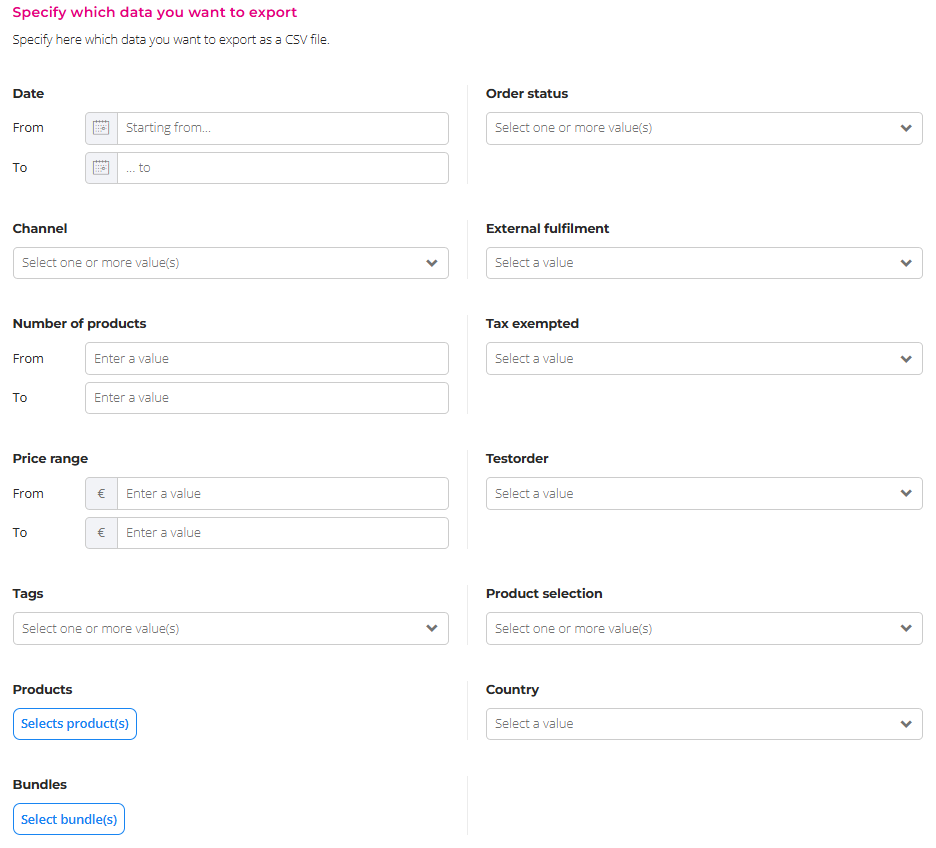
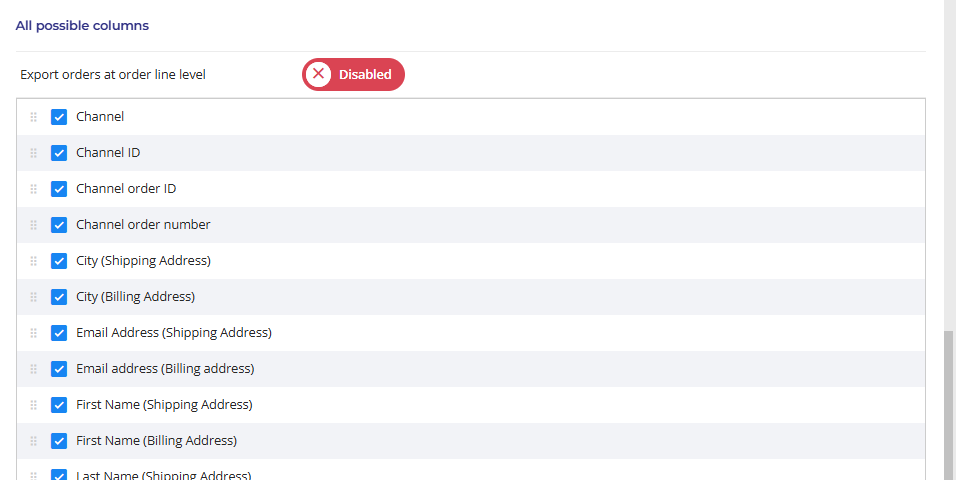
 Due to privacy legislation (GDPR), customer data is only available for up to 30 days after the order is placed.
Questions about exporting order data? Please contact us. We’re happy to help.