![logo-effectconnect-liggend-2021.png]](https://www.effectconnect.com/hs-fs/hubfs/Logo%20EffectConnect/logo-effectconnect-liggend-2021.png?height=24&name=logo-effectconnect-liggend-2021.png)
What is a custom API?
An API (Application Programming Interface) is not a product itself, but a technology that enables secure data exchange between systems.
By building a custom integration on top of the EffectConnect API, you can, for example:
- Send products and product information to EffectConnect.
- Synchronize stock levels and prices.
- Retrieve orders and other data from EffectConnect.
- Build your own custom integration.
When should you use the Custom API?
The Custom API is the right solution when:
- You have your own webshop or back-office system.
- No standard plugin or integration is available.
- You want to build a custom integration.
 Building an integration with the EffectConnect API requires technical expertise.
If you don’t have this expertise in-house, we recommend working with a software developer or implementation partner.
Need help finding the right partner? Contact our Customer Success team. We’re happy to help you find a suitable match within our partner network.
Working with AI?
We're seeing AI used more and more to build smart, elegant solutions quickly, and the EffectConnect API is often part of that. There's nothing wrong with this: with the right approach, it can result in great custom integrations.
What matters is knowing exactly what you're sending. An integration writes data into your live environment, and that data is then passed on to the marketplaces. If you start experimenting with calls on your live environment, a single incorrect call can immediately affect your product data, prices, stock or orders, and with that, your revenue.
Do you want the freedom to experiment properly? We recommend setting up a separate test environment. That way you can safely see what your integration actually does, without a mistake affecting your sales. A test environment comes at a cost. Get in touch with us if you'd like to know what this would look like for your situation.
Good to know: if you do choose to develop directly on your live environment, and intensive support and investigation turn out to be needed afterwards to restore your data or find out what happened, we may charge the hours we spend on this at a rate of € 149 per hour.
Not sure whether your approach is safe? Feel free to run it by us beforehand. Thinking along up front is always better than cleaning up afterwards.
Connecting to the EffectConnect API
To connect to the EffectConnect API and generate API keys, you need an active EffectConnect environment.
Don't have an EffectConnect account yet? Contact us and we'll be happy to help you get started.
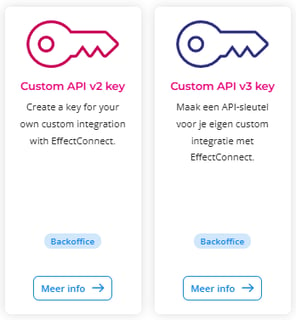
EffectConnect supports two versions of the Custom API:
- Custom API V2
- Custom API V3
You can find both API versions in the EffectConnect App Store. From there, you can open the integration and generate your Public Key and Private Key to establish a secure connection with our API.
Good to know: Not sure which API version is right for your integration? Get in touch with one of our integration specialists. We'll help you determine whether Custom API V2 or V3 is the best fit for your use case.
Need help?
Do you have questions about the EffectConnect Custom API or need assistance setting up your integration? Our Customer Support team is happy to help you get started.