![logo-effectconnect-liggend-2021.png]](https://www.effectconnect.com/hs-fs/hubfs/Logo%20EffectConnect/logo-effectconnect-liggend-2021.png?height=24&name=logo-effectconnect-liggend-2021.png)
EffectConnect allows you to set fixed prices for individual products or schedule temporary price changes using the Price Planner.
There are two ways to manage your prices:
1. Set a fixed price at product level
You can manually set a fixed price for an individual product directly in EffectConnect. This allows you to override the standard price for that specific product.
Fixed prices can only be configured at product level, meaning you need to set them individually for each product. It is not possible to assign a fixed price to a group of products at once.
In this video you see how to set a fixed price: 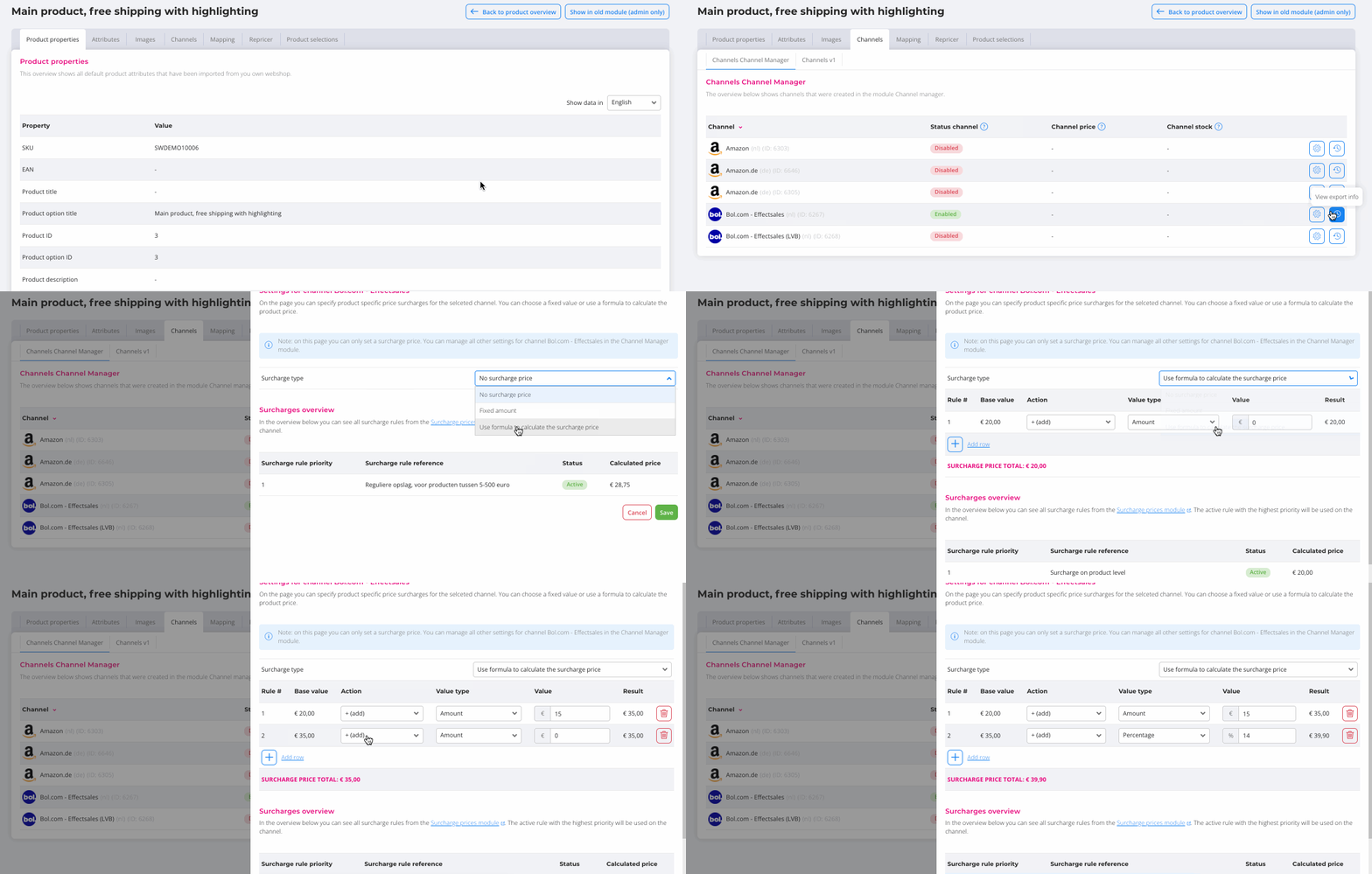
After setting the fixed price, make sure to configure the price prioritization in your marketplace channel's price settings. Here, you determine whether a fixed price takes priority over other pricing methods, such as the Repricer or Price Planner.
You can also generate an export from the price prioritization settings to get an overview of all products that have a fixed price configured.

2. Schedule prices with the Price Planner
With the Price Planner, you can schedule price changes for multiple products during a specific period. This is particularly useful for temporary promotions, sales campaigns or seasonal discounts.
Learn more about using the Price Planner in EffectConnect.