![logo-effectconnect-liggend-2021.png]](https://www.effectconnect.com/hs-fs/hubfs/Logo%20EffectConnect/logo-effectconnect-liggend-2021.png?height=24&name=logo-effectconnect-liggend-2021.png)
Go to
- How to log in to EffectConnect
- Forgot your password?
- How to change your details
- Turn email notifications on or off
- Logged out automatically after 30 minutes
How to log in to EffectConnect
You can log in in two ways:
- Via the website: go to www.effectconnect.com and click login

- Directly: go to go.effectconnect.com.
Then enter your email address and password.
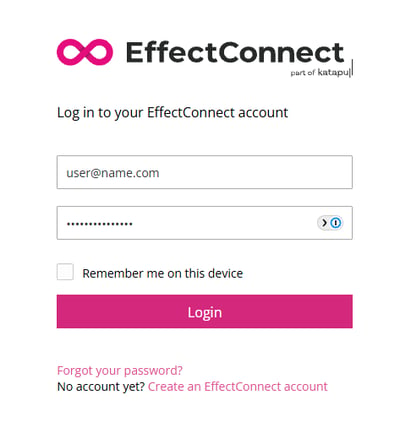
 Tip: Bookmark go.effectconnect.com in your browser. That way, you can log in even faster next time.
Forgot your password?
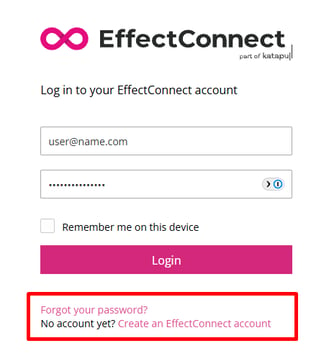
- On the login page, click Forgot password.
- Enter the email address you use to log in. This email address must be linked to a user account in EffectConnect.
- Open the email you receive and click the link to set a new password.
Open the link on the same computer and in the same browser you used to request the new password. Otherwise, the link won’t work.
Didn’t receive an email? Check your spam folder. If the email still doesn’t arrive, your email address may not be linked to a user account. Read Can I add an extra user account to my EffectConnect environment? to find out how to have a user added.
How to change your details
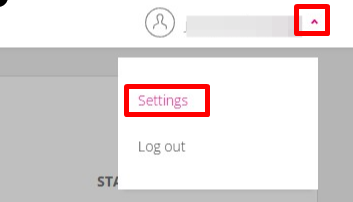
- In the top right corner of EffectConnect, click the button with your name.
- In the menu, click Settings.
3. Change your details and save the changes.
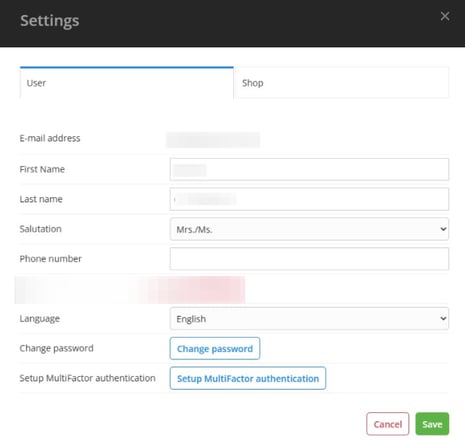
Please note: you can't change your email address.
Turn email notifications on or off
EffectConnect sends you emails in certain situations, for example when an order export fails. This makes sure you don't miss important updates. By default, these emails go to all users linked to the EffectConnect account.
To turn email notifications on or off:
- In the top right corner of EffectConnect, click the button with your name.
- In the menu, click Settings.
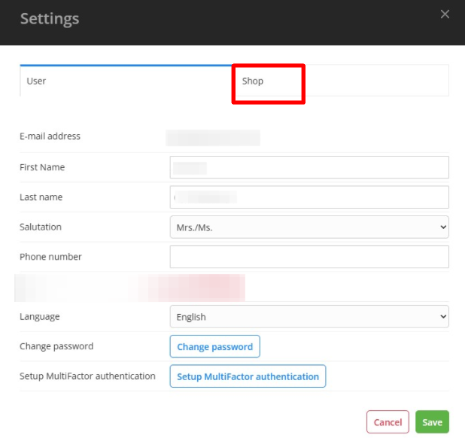
- Go to the Shop tab. Here you'll see all shops linked to your account, each with its own email notification settings.
- For each shop, turn the email notification toggle on or off.
Logged out automatically after 30 minutes
To keep your account secure, EffectConnect logs you out automatically after 30 minutes of inactivity. Want to continue working? Simply log in again.
EffectConnect contains sensitive data, such as customer and order data. Logging you out automatically protects your account and helps us meet the security requirements of our business customers. Our platform is also regularly checked for security.
Tip: Save your changes regularly, especially if you step away. That way, you won’t lose any work if you’re logged out automatically.
Having trouble logging in? Please contact us. We’re happy to help.