![logo-effectconnect-liggend-2021.png]](https://www.effectconnect.com/hs-fs/hubfs/Logo%20EffectConnect/logo-effectconnect-liggend-2021.png?height=24&name=logo-effectconnect-liggend-2021.png)
Go to
- Exporting prices in the local currency
- In which currency are orders imported?
- Plugin or standard connection
- Custom API connection
- Exchange rates
Exporting prices in the local currency
Is the currency of your prices different from the currency the marketplace uses? Then EffectConnect automatically converts your prices before they’re exported. For this, EffectConnect uses the currency you set in the channel settings.
- Open the channel and go to Settings > Prices.
- At Currency of your prices, select the currency your source-prices are in, for example Euro.
- Save the settings.
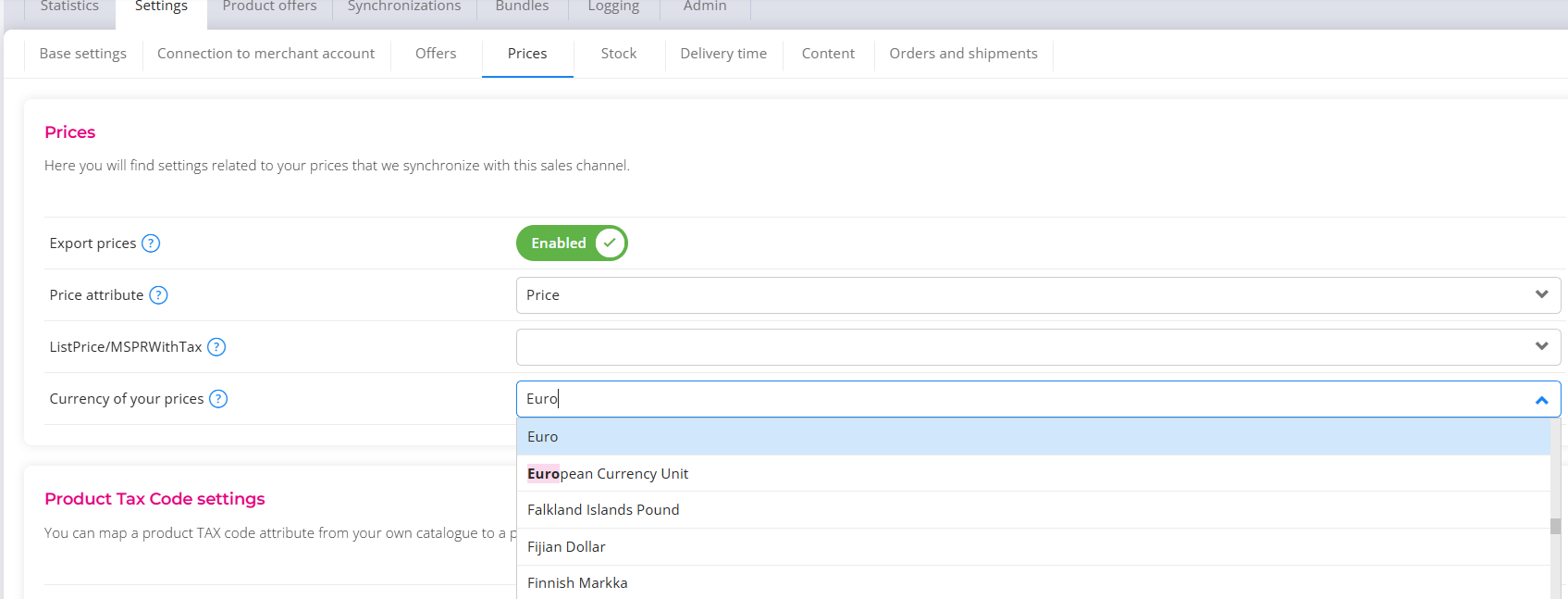
 EffectConnect uses this value to convert your prices into the marketplace's currency. The conversion is based on the current exchange rate, which is updated every hour.
ℹ️ Please note: Exchange rates fluctuate. This means your marketplace prices may change slightly over time, even if your original prices remain the same.
Example: Your prices are in euro and you sell on Amazon Sweden. EffectConnect converts your euro prices to Swedish krona (SEK) using the current exchange rate.
In which currency are orders imported?
EffectConnect imports every order in the currency in which the customer paid on the marketplace. When you open the order in EffectConnect, you always see the original currency and amounts.
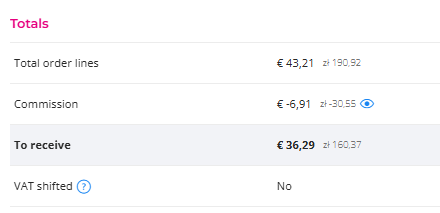
In which currency the order reaches your webshop depends on your connection.
Plugin or standard connection
Do you use a plugin or standard connection, for example via an app store? Then EffectConnect converts the order amounts to euro before the order is exported to your webshop.
Custom API connection
Do you retrieve orders through your own API connection? Then you decide in which currency you receive the amounts.
- Without conversion: by default, you receive the amounts in the original currency of the marketplace.
- With conversion: in API v3, you can optionally specify a currency when retrieving orders, for example EUR. Besides the original amount and currency, you then also receive the converted amount, the converted currency, the exchange rate used and the time the rate was retrieved.
Read more in the API v3 documentation.
Exchange rates
EffectConnect refreshes exchange rates every hour. Amounts are converted using the exchange rate that applies at the moment of conversion. The converted amount may therefore differ slightly from the amount the marketplace pays out to you.
Questions about currencies? Please contact us. We’re happy to help.