![logo-effectconnect-liggend-2021.png]](https://www.effectconnect.com/hs-fs/hubfs/Logo%20EffectConnect/logo-effectconnect-liggend-2021.png?height=24&name=logo-effectconnect-liggend-2021.png)
Go to
- What are queue rules?
- Why use queue rules?
- Default queue rules
- How to create a queue rule
- Combining queue rules with order tags
What are queue rules?
Queue rules decide whether EffectConnect exports an order to your webshop or e-commerce system. Each rule is based on conditions. When an order meets them, the rule determines whether the export goes ahead.
Examples of conditions:
- The order has a specific tag.
- An earlier export of the order failed.
- The order is fulfilled externally, for example by the marketplace.
Why use queue rules?
- Hold orders for a check. Stop certain orders from being exported automatically, for example because you first need to decide which stock location to ship from.
- Keep your webshop clean. Prevent orders you don’t ship yourself from ending up in your webshop.
- Control retries. Decide what happens with orders whose export failed earlier.
Default queue rules
Every EffectConnect account has 4 default queue rules. They are part of the basic configuration of your account. You can adjust them to your needs, but you cannot delete them.
How to create a queue rule
- Go to Orders > Queue rules.
- Click Create new order blocking rule in the
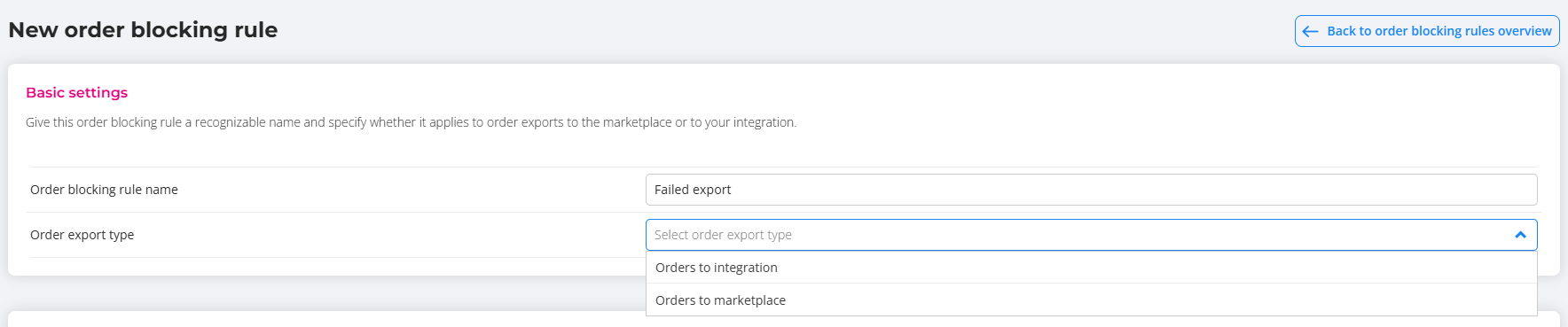
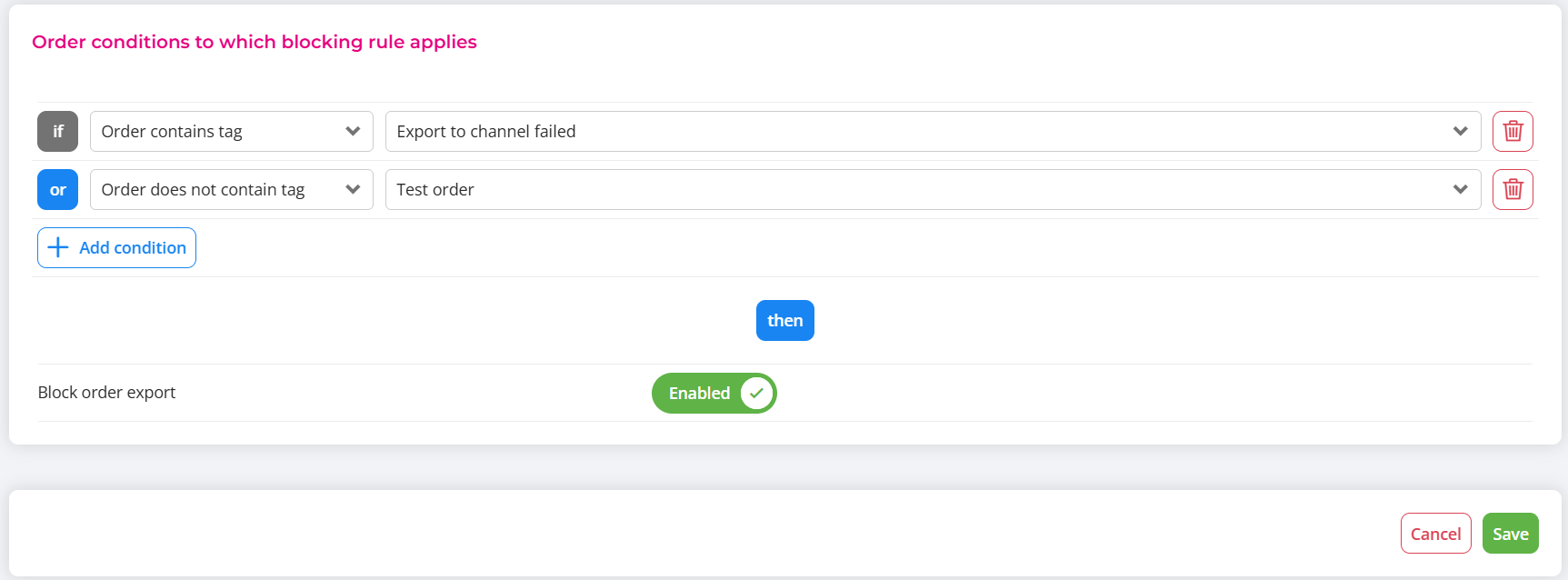
- Set the basis settings and conditions an order must meet.
- Choose whether to enable or disable the export.
- Save the rule.
Set basis setting
Set order conditions to which blocking rule applies
 Changes to your rules only apply to new orders. Orders already in EffectConnect are not updated.
Combining queue rules with order tags
Queue rules work well together with order tags. With order tags, you automatically give orders a tag based on conditions. You then use that tag in a queue rule to decide whether these orders are exported.
Example:
- Create an order tag Check stock location for orders that may need to ship from a different location.
- Create a queue rule that does not export orders with this tag.
- The tagged orders now stay in EffectConnect until you have checked them.
Questions about queue rules? Please contact us. We’re happy to help.