![logo-effectconnect-liggend-2021.png]](https://www.effectconnect.com/hs-fs/hubfs/Logo%20EffectConnect/logo-effectconnect-liggend-2021.png?height=24&name=logo-effectconnect-liggend-2021.png)
Go to
- How do you open an order?
- How do you set an order to shipped?
- How do you set a single order line to shipped?
How do you open an order?
You can open an order in two ways:
- Via the search bar at the top of EffectConnect: enter your order number and select Sales.
- Via Sales > Sales overview in the left menu. Here you can filter, search and open orders.
How do you set an order to shipped?
- Open the order.
- In the summary at the top of the order, click the status and select Shipped.
- Fill in the shipping details: the carrier and the track & trace code.
In the order, you can hover over the status with your cursor. A pencil icon will then appear, which you can use to edit the order status:
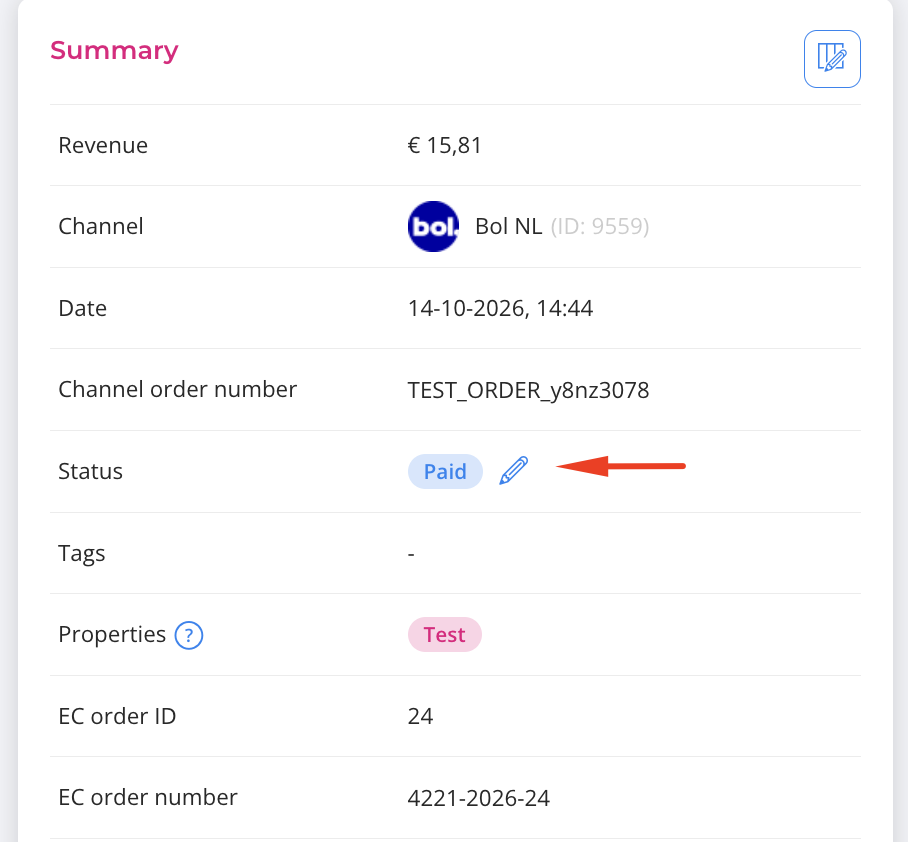
Change the status to shipped, enter the track & trace code, tracking URL and carrier, and click Save.
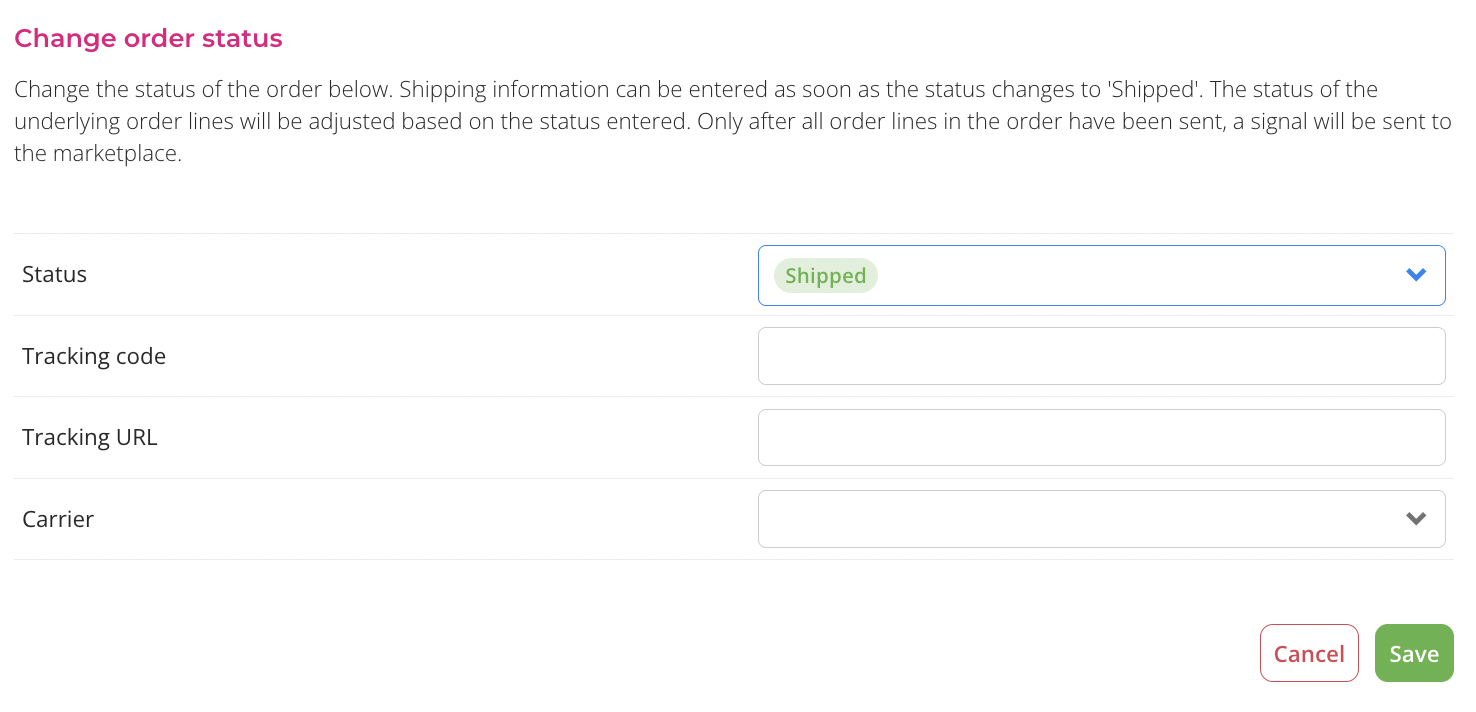
You can only add one track & trace code per order, even if the order contains multiple products or shipments.
Once an order is set to Shipped, you can no longer change the status, because the products have already been shipped.
Whether a shipment without a track & trace code is accepted depends on the marketplace. Not every marketplace supports this. Want to be sure it’s possible? Please contact the marketplace.
How do you set a single order line to shipped?
You can also change the status per order line (per product). To do so, click Status in the order line and select the status you want. This is possible as long as the order line isn’t set to shipped or canceled yet.
You can then enter the details for a specific order line:

The order is only reported as shipped to the marketplace once the entire order, or all of its order lines, are set to shipped.
In case you have any further questions, you can also reach us any time on:
📩 Email us at support@effectconnect.com
💬 Contact us via chat or give us a quick call