Always the right stock levels and delivery times
Getting stock and delivery times right isn’t easy, especially if you combine your own warehouse with a 3PL or ship from suppliers. With EffectConnect, you stay in control and always sync the right stock levels, lead times, and costs, even as your situation changes.
Combine your own warehouse with 3PL inventory
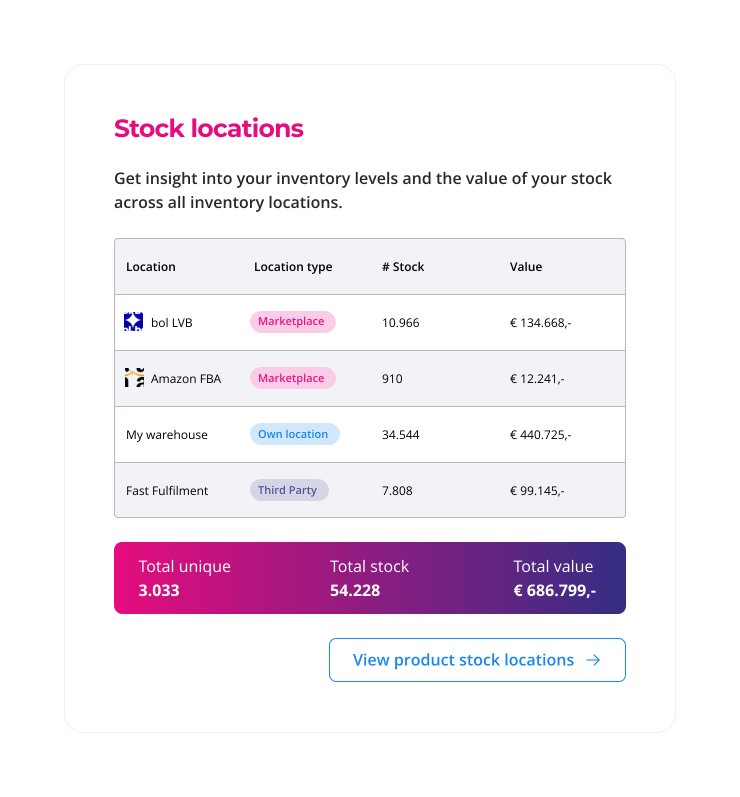
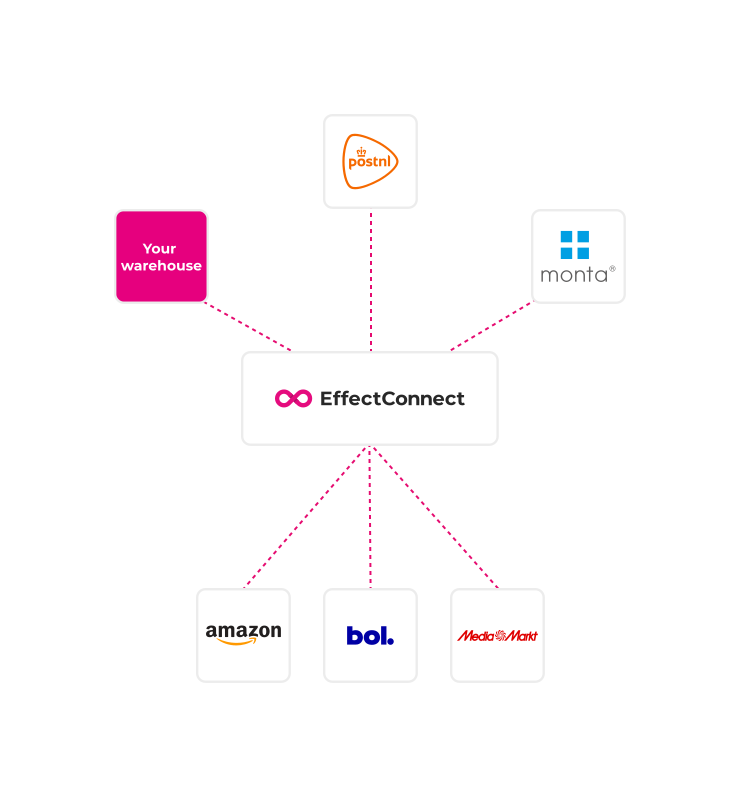
If you use a logistics partner (a fulfilment provider or 3PL) alongside your own warehouse, EffectConnect lets you aggregate those stock positions and publish the correct total availability to marketplaces. You decide whether to prioritize your own warehouse and whether delivery times should differ per location.
Import supplier inventory for your marketplace offers
Using supplier inventory increases the availability of your listings on marketplaces. With EffectConnect’s Inventory Manager, you can import stock from all your suppliers and use it for your marketplace offer. You can import as many supplier sources as you like.

Use available stock as a business rule for your offer
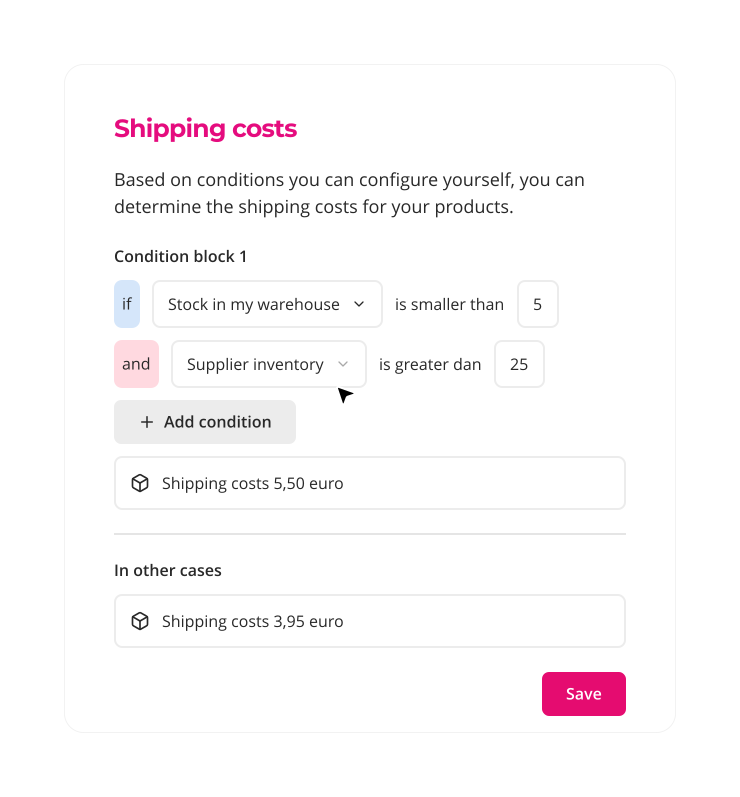
Your stock level and stock location affect how you should publish offers on marketplaces. With your own rules, you decide whether to show low-stock items, whether to apply a lower margin at high stock levels, and whether shipping costs and lead times should differ when items are fulfilled via a 3PL. EffectConnect business rules support every scenario.
Set the right delivery promise based on stock location and supplier
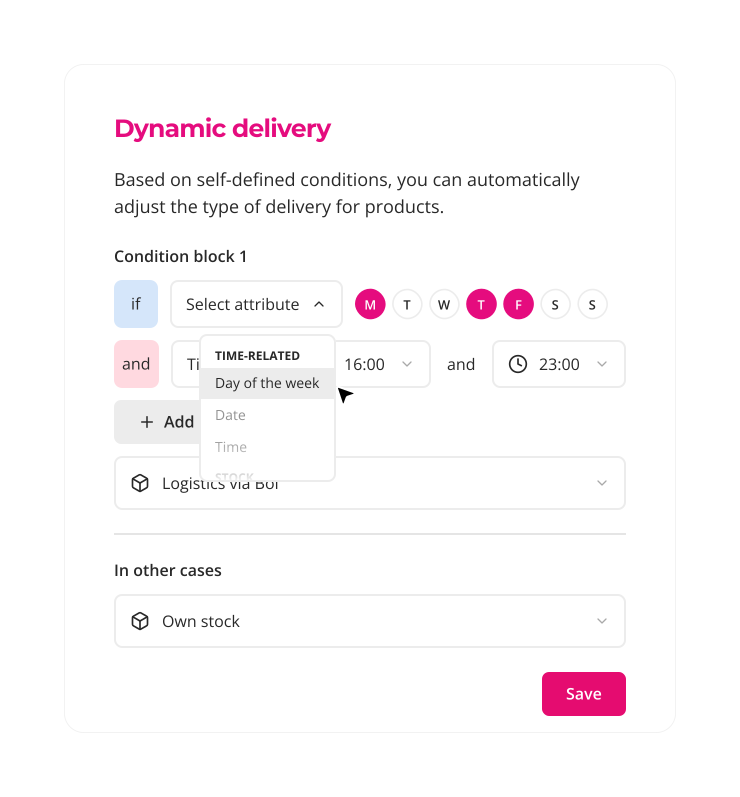
Communicating the right lead time on marketplaces is crucial for the health of your seller account. With EffectConnect, you define the correct lead time per product per marketplace based on stock location, supplier, and marketplace requirements. If your offer switches to supplier stock, the lead time updates automatically.
Sync stock reliably across marketplaces and stop overselling
As you grow, inventory management and logistics become more complex. With the smart features in EffectConnect’s Inventory Manager, you stay in control.
Multiple warehouses
Support stock locations across multiple warehouses.
Supplier inventory
Import supplier stock and decide when to use it and for which channel.
3PL inventory
Use stock held at a logistics partner, with optional different lead times or shipping costs.
Dynamic lead times
Set the right lead time per marketplace based on warehouse and stock location.
Dynamic pricing
Calculate shipping costs, margins, and product prices based on stock level and location.
Business rules
Create your own rules to publish the ideal marketplace offer based on stock level and location.
Frequently asked questions about inventory management
Is EffectConnect suitable for multiple warehouses?
Yes. In EffectConnect you can base your stock and lead times on one or multiple warehouses—your own warehouses or a fulfilment partner (3PL).
Can I use supplier inventory?
Yes. You can import your supplier’s stock into EffectConnect via an additional data source, such as an XML feed, CSV file, or our API. There’s no limit to the number of suppliers you can import from.
Can I adjust shipping costs for 3PL inventory?
Yes. The costs charged by a 3PL often differ from your own logistics costs, which impacts marketplace pricing. In EffectConnect you can calculate these costs correctly for every scenario.
Can I use a different lead time for external stock?
Yes. You can base lead time on stock location, supplier, carrier, marketplace, and more. You do this with business rules based on stock attributes.
Can I apply a safety margin to my inventory?
Yes. You can set a safety margin so EffectConnect syncs a lower stock level to marketplaces than your actual stock. You can set this very specifically, so you don’t need the same margin for every product.
Can I use fictional stock?
Yes. Sometimes no actual stock is available, but you can always fulfill the product. In that case we can sync a fictional stock level. If you don’t want to reveal your real stock, you can also use fictional stock to hide actual quantities on marketplaces.
Always accurate inventory on every sales channel?
Curious how EffectConnect can simplify your inventory management across all sales channels? We’d love to explore your setup together.